Storage needs are rarely just about finding more room. A growing business may be juggling paper files, product stock, backup drives, and equipment in the same week. The right Storage Solutions can protect valuable assets, reduce wasted space, and make daily work easier. But no single option fits every company.
This guide explores ten practical choices, from shelving, cabinets, and pallet racks to cloud storage, network-attached devices, and off-site facilities. Each serves a different purpose. A retailer might need quick access to inventory; an accounting firm may care more about secure, organized records. Small details matter, too: aisle width, humidity, user permissions, retrieval time, and recurring fees can change a solution’s real value. A cheap unit is not always cheap over time.
There are trade-offs. Physical storage can be simple to inspect, yet it takes space and needs upkeep. Digital systems can support remote access, but they depend on reliable security practices and backups. Even a carefully chosen plan may need revision as a business grows. That is normal. The following options are compared by practical fit, flexibility, cost considerations, and potential limitations, helping decision-makers ask better questions before committing. Use the list as a starting point, not a substitute for checking your own storage volume, workflow, and risk tolerance.
Business Storage: Definition, Purpose, and Core Requirements
Business storage is the organized keeping and management of company data, from invoices and staff records to customer files and operational systems. Its purpose is practical: make information available to the right people, protect it from loss, and support daily work as the business grows. Core requirements include suitable capacity, reliable access, backup and recovery, clear permissions, and predictable costs. A folder that opens quickly matters; so does knowing who can see it.
Storage choices must also fit how teams actually work. Flexera’s 2024 State of the Cloud Report found that 89% of surveyed organizations used multiple cloud environments, while 73% reported a hybrid approach. That points to a need for consistent access and oversight across locations, not just more space. Security deserves equal attention: IBM’s 2024 Cost of a Data Breach Report put the global average breach cost at $4.88 million. Backups should be tested, not merely scheduled. That is easy to overlook. A sensible plan sets recovery priorities, limits access by role, and checks whether staff can restore a critical file under pressure. No single setup fits every company, and some storage plans become more complicated than expected. Just review them.
Key Criteria for Comparing Business Storage Options
When comparing business storage options, start with the workload, not the sales description. A shared folder for invoices has different needs from a database serving customers all day. Record current capacity, weekly growth, peak access times, and acceptable downtime. Be specific: “fast” means little unless you measure how long a common file or report takes to open.
Then compare total cost over several years, including setup, support, backups, migration, and likely expansion. Check access controls, encryption, audit records, and how quickly staff can restore a mistakenly deleted file. Ask where data is stored and whether it can be moved without unusual fees or long outages. Test recovery with a sample folder; a backup that has never been restored is an assumption. Not a guarantee. Also consider whether the system works with existing devices and routines. A technically strong option can still frustrate employees if access is clumsy. I’d be cautious about relying on a single scorecard: the weights reflect someone’s judgment, and small teams may value simplicity more than elaborate controls. Revisit the comparison as usage changes. A choice that fits today may become awkward sooner than expected.
What Are the Top 10 Storage Solutions for Businesses?
Comparing typical access latency is one way to assess storage options: lower latency generally means faster access. These indicative figures are broad estimates, not guaranteed performance; hardware, configuration, network conditions, and workload can change results significantly.
Use latency alongside capacity, cost, scalability, durability, security, and recovery requirements when choosing a solution. Tape is typically used for archival and backup rather than frequent access.
Ten Common Storage Solutions and Their Business Uses
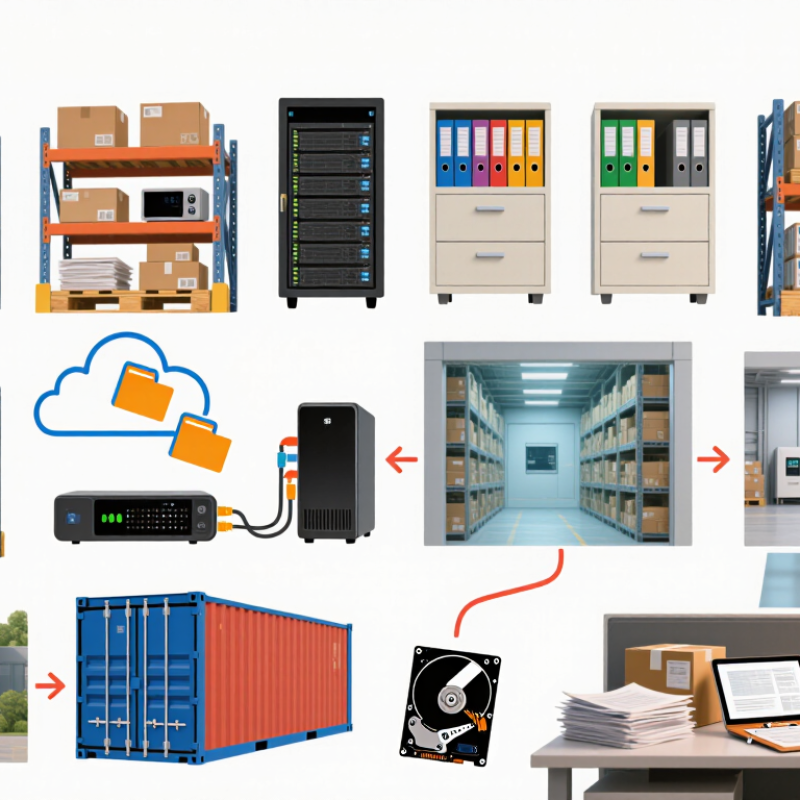
Open shelving suits cartons, tools, and supplies staff use daily. Pallet racks hold bulky inventory and make forklift access easier. Lockable cabinets protect small tools, documents, or sensitive equipment. Labeled bins keep fasteners and parts visible, reducing time spent searching. Mobile shelving uses tracks to compact records or products when floor space is tight. Each option works best when items have assigned locations.
Mezzanines add storage above usable floor space, but require careful load planning and safe access. Archive boxes help organize records kept for occasional retrieval. Temperature-controlled rooms protect food, samples, or other goods that need stable conditions. Outdoor containers can hold weather-resistant equipment, provided the contents and unit are protected from moisture. Vertical lift systems bring stored items to operators and can save floor area, though maintenance and training matter. A crowded aisle can defeat an otherwise clever layout.
Tips: Measure items and pathways before buying storage. Check weight limits, access needs, and fire-safety requirements with qualified staff. Label shelves clearly, keep heavy goods low, and review stock regularly. Some layouts look efficient on paper but prove awkward during a busy shift. Adjust them after observing real workflows.
Security, Scalability, and Cost Considerations
Business storage choices range from direct-attached drives, network-attached storage, and storage-area networks to file, block, and object storage. Cloud storage, hybrid storage, backup appliances, and archival tape round out ten common options. Each solves a different problem. A small design studio may need fast shared files, while a clinic may prioritize controlled access and recoverable records. The “best” option depends on workload, staff, and risk—not a ranking alone.
Security and cost are linked. Use encryption, named user accounts, multi-factor authentication, and access logs; review permissions when roles change. Keep a separate backup, and test restoring a few files before relying on it. Scalability matters too: estimate data growth, transfer speeds, and fees for retrieval or extra capacity. A low monthly price can become costly when old data must be accessed often. I have seen capacity planning miss one awkward detail: backup copies also consume space.
Tips: Start with a simple inventory: data type, size, access frequency, and sensitivity. Compare three-year costs, including hardware, support, power, migration, and recovery time. Run a small pilot, then check whether everyday users can find files quickly and restore them without expert help.
Selecting and Managing a Business Storage Strategy
A business storage strategy should begin with a clear picture of what needs storing, where it lives, and who needs access.
List physical inventory, paper records, and digital files separately. Note how often each item is used and how costly its loss would be.
Start small.
The right mix may include shelving, secure cabinets, off-site facilities, and managed digital storage. Keep fast-moving stock near work areas; store archived boxes away from moisture and direct sunlight. For digital files, use role-based access and test backups by restoring a sample file.
A backup that has never been tested is only an assumption.
Management matters.
Assign an owner to track capacity, access permissions, and storage costs. Review access when staff roles change, and remove outdated copies to reduce confusion. Set retention practices around business needs and applicable requirements; seek qualified advice when those are unclear. A spreadsheet can still go stale, and I have seen tidy systems drift when nobody owns the updates.
Check the shelves and storage reports on a regular schedule.
FAQS
It is the organized keeping and management of company data, such as invoices, staff records, and customer files.
It should offer enough capacity, reliable access, backups, recovery, clear permissions, and predictable costs. A folder should open quickly.
Start with the workload. Record data size, weekly growth, busy access periods, and acceptable downtime. “Fast” needs a real measure.
Include setup, support, backups, migration, hardware, power, and future capacity. Compare costs over several years, not just monthly fees.
Restore a sample folder and time the process. Scheduled backups alone prove very little. Not a guarantee.
Use named accounts, encryption, multi-factor authentication, and access logs. Review permissions when someone changes roles.
Estimate data growth, transfer speeds, extra capacity, and retrieval fees. Backup copies also use space—an easy detail to miss.
Run a small pilot. Ask everyday users to find a file and restore it without expert help. Some friction may still remain.
No. A design studio may need fast shared files, while another team may prioritize controlled access and recovery. The comparison depends on real needs.
Conclusion
This guide explains how business storage supports daily operations by keeping information organized, accessible, and protected. It outlines core requirements such as capacity, performance, reliability, access control, and recovery, then introduces key criteria for comparing Storage Solutions. The ten common options covered include local servers, network-attached storage, storage area networks, cloud file, block and object storage, backup systems, archival storage, hybrid environments, and edge storage. Each serves different needs, from shared team files and business applications to long-term retention and remote operations.
The guide also considers how security, scalability, and total cost affect a storage decision. Businesses should assess the sensitivity and growth of their data, user access needs, performance demands, and recovery goals before choosing an approach. A practical strategy may combine multiple storage types, with clear policies for access, backup, monitoring, and lifecycle management. Regular reviews help ensure the system remains dependable and cost-effective as the organization changes.

 Guichang Metal Racks